StringTie Tutorial: Transcript Assembly & Quantification
Introduction
When performing RNA-Seq analysis with a next-generation sequencer, you obtain raw data in the form of FASTQ files. After mapping these reads to a reference genome, gene expression levels are quantified by counting the reads that align to each gene.
This page explains how to use StringTie, a tool for discovering novel isoforms and estimating expression levels at the isoform level from RNA-Seq alignment results.
Installation
Pre-compiled binaries are available here. Download the binary that matches your environment. (Example below uses StringTie v2.2.1 on macOS.)
Try displaying the help message to verify the installation.
If you see output similar to the following, the installation was successful.
Identifying Novel Isoforms
Run the following commands to identify novel isoforms and estimate isoform-level expression. Start by running StringTie on each of the four samples (sample1 through sample4):
The -G option provides a reference annotation file that serves as a guide during isoform assembly.
This produces output files sample1.gtf through sample4.gtf, one for each sample.
The output GTF file contains the following columns:
| Column | Description |
| 1st | Chromosome name |
| 2nd | Always contains "StringTie" |
| 3rd | Feature type (exon, transcript, mRNA, 5'UTR, etc.) |
| 4th | Feature start position (1-based index) |
| 5th | Feature end position (1-based index) |
| 6th | Always contains 1000 |
| 7th | Strand direction of the transcript |
| 8th | Always contains "." |
| 9th | Additional attributes separated by semicolons |
The 9th column contains the following attributes, delimited by semicolons ";":
| Name | Description |
| gene_id | Gene ID |
| transcript_id | Transcript ID |
| exon_number | Position of the exon within the transcript. |
| reference_id | Transcript ID in the reference annotation |
| ref_gene_id | Gene ID in the reference annotation |
| ref_gene_name | Gene name in the reference annotation |
| cov | Per-base coverage |
| FPKM | FPKM value |
| TPM | TPM value |
Merging
Although results have been generated for each sample, the identified isoforms may differ between samples, making direct comparison impossible. To resolve this, merge the results from all samples using the following command:
This produces a unified annotation file called merged.gtf.
Estimating Isoform-Level Expression
Finally, re-estimate isoform-level expression using the merged annotation file:
The -e option skips novel isoform discovery and restricts the analysis to only the isoforms listed in merged.gtf. The -B option outputs Ballgown-compatible files (*.ctab).
Preparing Files for DESeq2 / edgeR
The steps above produce Ballgown-compatible files, but these cannot be used directly with differential expression tools such as DESeq2 or edgeR.
To enable analysis with DESeq2 or edgeR, you need to create CSV files that consolidate the results from all samples into count matrices.
Use prepDE.py3 for this purpose. prepDE.py3 is the Python 3 version of prepDE.py; using either script produces the same results.
In this example, the read length is 150 bp, so we specify -l 150:
This generates two files: gene_count_matrix.csv and transcript_count_matrix.csv.
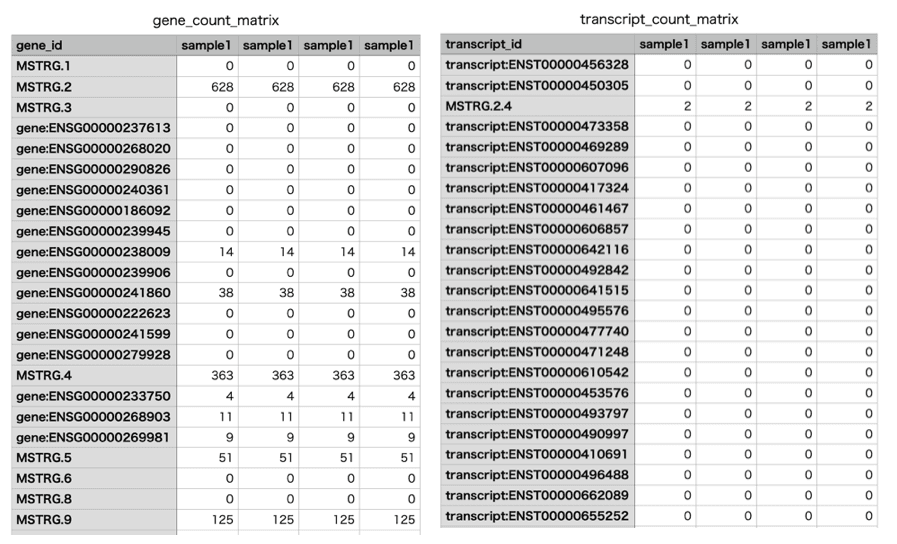
As discussed in https://github.com/gpertea/stringtie/issues/126, when using paired-end reads, the summed read counts may not match the actual number of reads. However, in practice, the output is typically used as-is.
RNA-Seq Data Analysis Software
This is an RNA-Seq Data Analysis Software recommended for those who:
✔︎ Seeking to avoid outsourcing or collaboration for RNA-Seq data analysis.
✔︎ Lacking time to learn RNA-Seq data analysis.
✔︎ Frustrated by the complexity of existing tools.
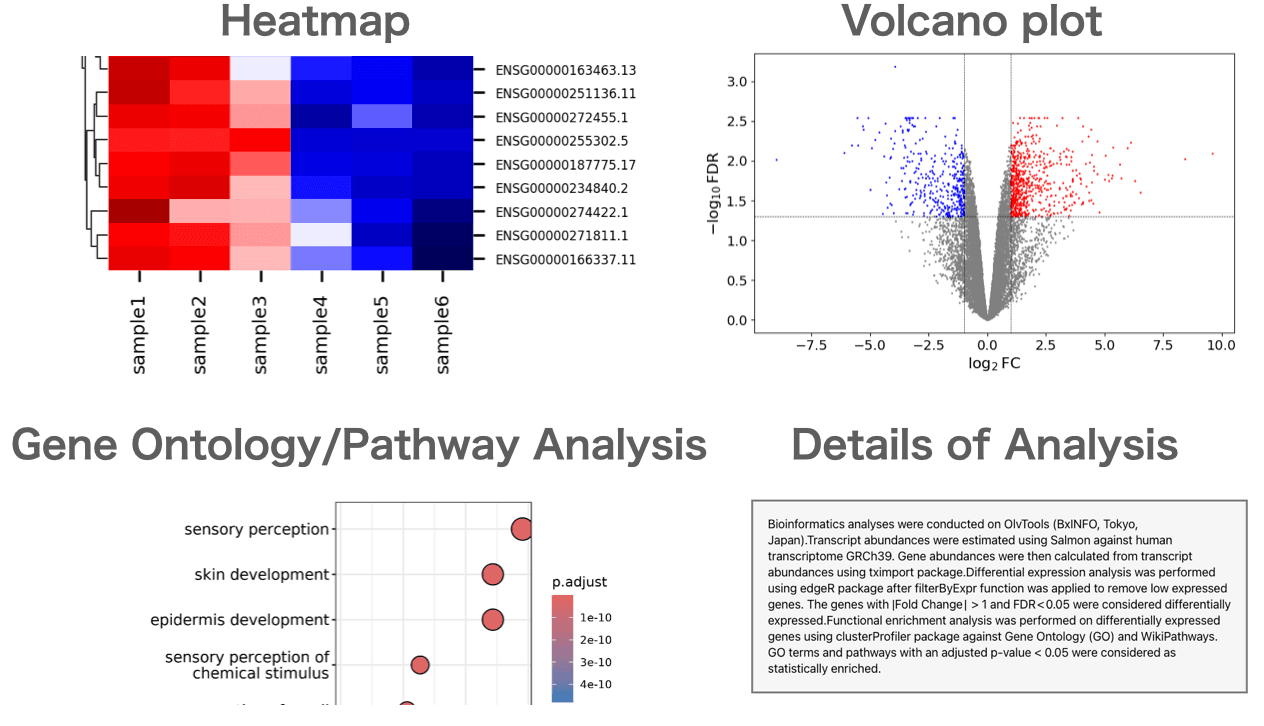
Users can perform gene expression quantification, identification of differentially expressed genes, gene ontology(GO) analysis, pathway analysis, as well as drawing volcano plots, MA plots, and heatmaps.
About the Author


BxINFO LLC
A research support company specializing in bioinformatics.
We provide tools and information to support life science research, with a focus on RNA-Seq analysis.