Salmon Tutorial: Ultra-Fast RNA-Seq Quantification
📖 RNA-Seq Data Analysis Workflow — check it out for an overview.
Introduction
Salmon is an ultra-fast tool for quantifying gene expression from RNA-Seq data. Most gene expression quantification tools require a separate alignment step beforehand, but Salmon does not. Instead, Salmon performs a lightweight process called "Quasi-Mapping" and uses those results to estimate expression levels, achieving remarkably fast processing speeds.
For an overview of the entire RNA-Seq data analysis workflow, see the RNA-Seq analysis workflow guide.
Installation
Pre-built binaries are available, so if your environment is compatible, downloading them is the easiest option.
You can also install Salmon via conda.
Try displaying the help message to verify the installation.
If you see output similar to the following, the installation was successful.
Creating an Index
First, build an index of the reference sequences using the following command.
The `cdna.fasta.gz` file is a transcript FASTA file. For human data, you can use a file such as Homo_sapiens.GRCh38.cdna.all.fa from Ensembl.
The following files, which are needed for expression quantification, will be created inside the `salmon_index` directory.
Gene Expression Quantification
Next, quantify gene expression levels with the following command.
The `validateMappings` option improves mapping sensitivity and specificity. While it slightly increases the analysis time, it is generally recommended to enable it.
The quantification results are stored in the `quant.sf` file inside the output directory, as shown below.
Preparation for DEG Extraction
You can export the results to a CSV file as follows.
RNA-Seq Data Analysis Software
This is an RNA-Seq Data Analysis Software recommended for those who:
✔︎ Seeking to avoid outsourcing or collaboration for RNA-Seq data analysis.
✔︎ Lacking time to learn RNA-Seq data analysis.
✔︎ Frustrated by the complexity of existing tools.
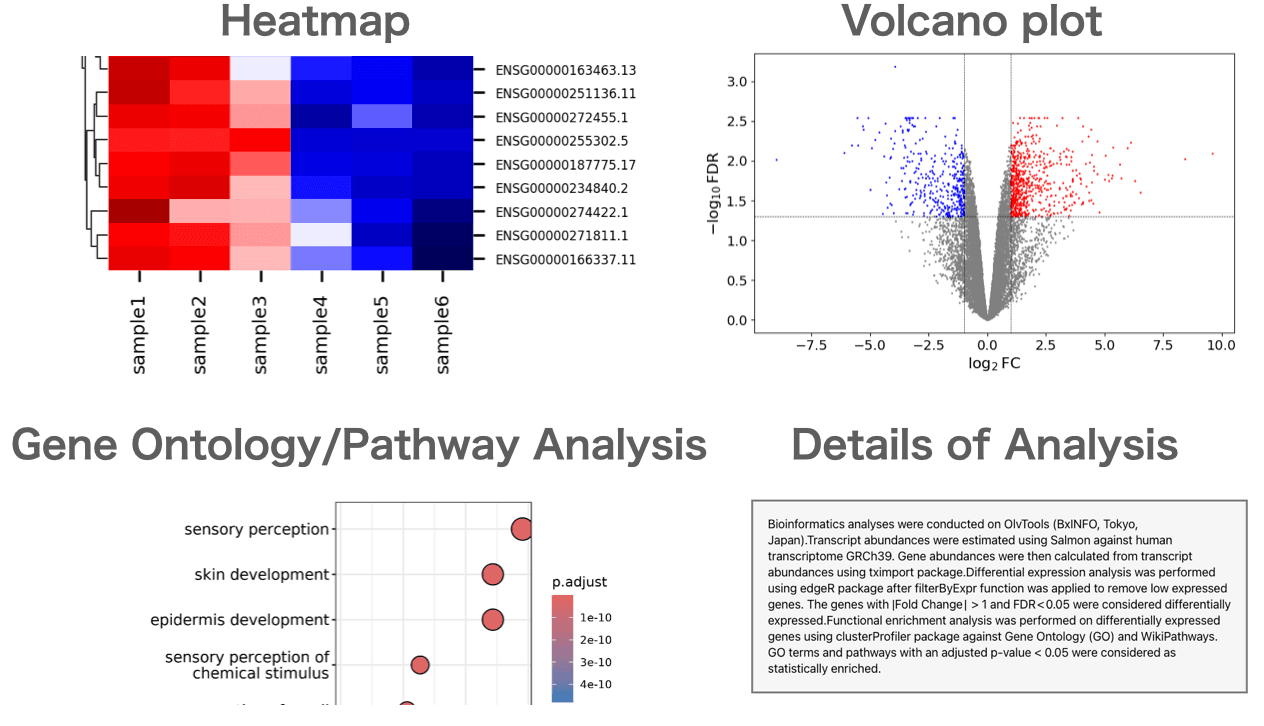
Users can perform gene expression quantification, identification of differentially expressed genes, gene ontology(GO) analysis, pathway analysis, as well as drawing volcano plots, MA plots, and heatmaps.
About the Author


BxINFO LLC
A research support company specializing in bioinformatics.
We provide tools and information to support life science research, with a focus on RNA-Seq analysis.